

Authentication
Generate an API token for your application
The Patronize API uses API keys to authenticate requests. You can view your API key in the Patronize settings under API. Authentication to the API is performed via the Authorization header. All API requests should be made over HTTPs.
Bearer API Tokens
Patronize uses the Bearer Token HTTP authentication scheme for API tokens. In order to use the authentication token, include it in the Authorization header in your HTTP request:
curl https://rllwjl4z6b.execute-api.eu-central-1.amazonaws.com/api/v1/{{ROUTE}}
  -H 'authorization: Bearer YOUR_SECRET_KEY'
  -H 'cache-control: no-cache'
  -H 'content-type: application/json'
  -d '{{BODY}}
  -X POST
To make a call to the Patronize REST API, you need an API token. There is only a type of API authentication mechanisms that will provision an API token for you:
(1) Bearer API Tokens
NOTE: Your API tokens carry many privileges, so be sure to keep them secure. Do not share your secret API tokens in publicly accessible areas such as GitHub, client-side code, and so on.
NOTE: CORS (Client-Side Resource Sharing) is not currently supported by Patronize. This means that all REST API requests to Patronize should be made from a server-side application and cannot be made from front-end applications running in a browser.
Creating an API Token
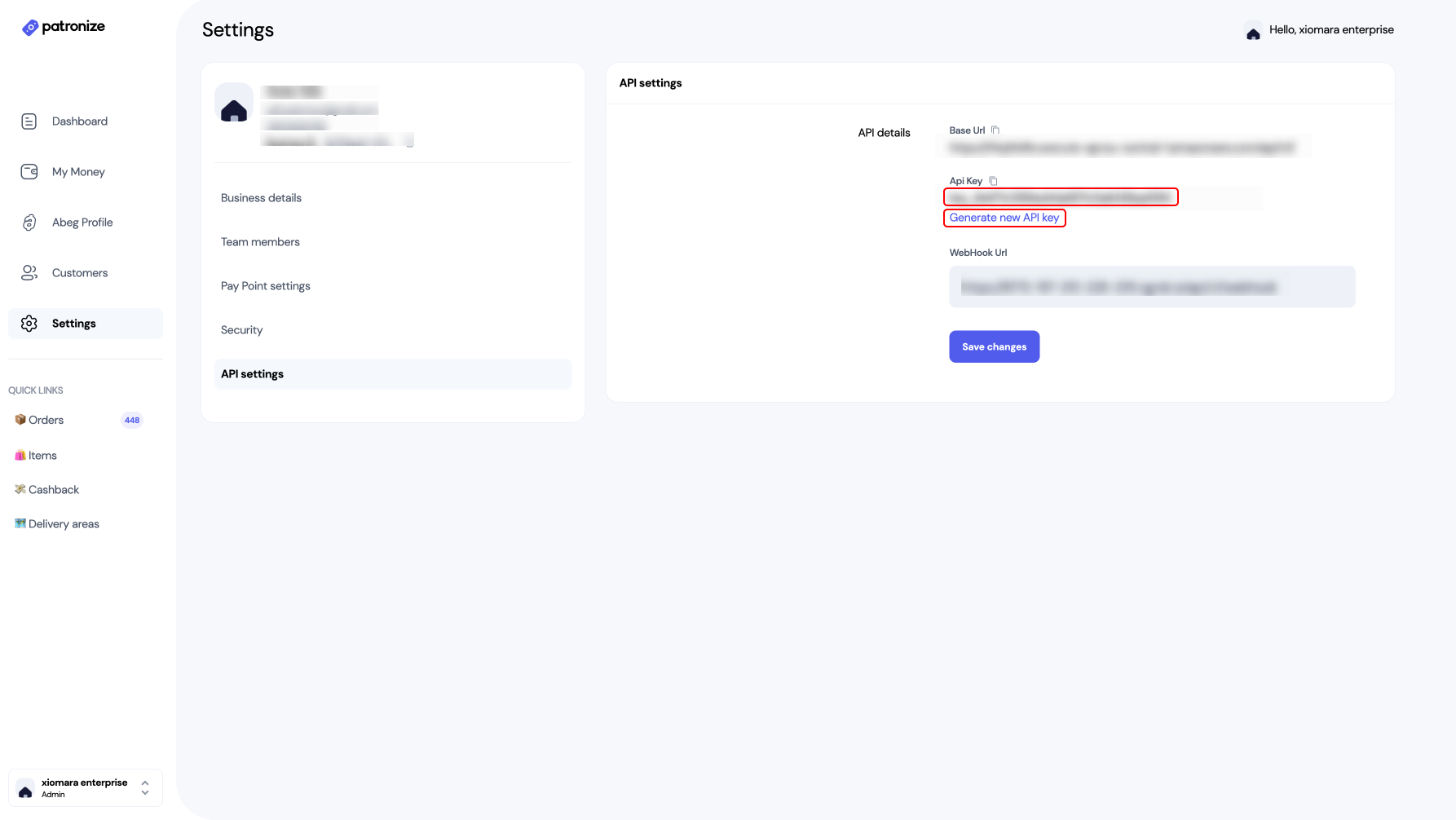
- Go to the Settings page of the Patronize Dashboard by clicking the gear icon on the left-side nav bar.
- Click the "API Settings".
- Click "Generate new API key" to create a new API token as shown below. This API token will be your SECRET TOKEN for Authentication 'Bearer'.
Updated over 4 years ago